
Design → G-Code — No Export
CNC Programming Inside Your CAD
SOLIDWORKS CAM generates toolpaths and G-code directly from your SOLIDWORKS 3D CAD model. When the design changes, the CAM program updates automatically. No file export. No data translation errors. No reprogramming.
Faster programming
File translation errors
CAM Standard included
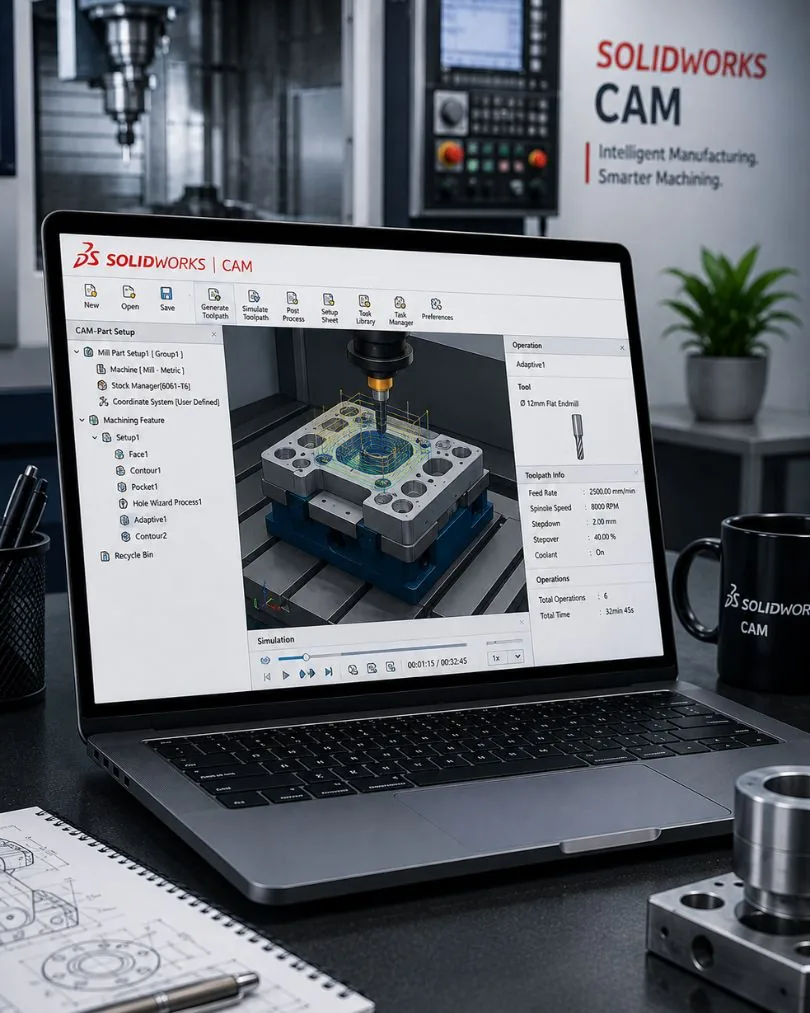
Steps 2-4 happen inside SOLIDWORKS — the same environment where you designed the part.
Machining Capabilities
From simple pocketing to complex mill-turn — each capability built for production, not just demos. CAM Standard is included with every SOLIDWORKS licence at no extra cost.
2.5-Axis Milling
StandardPocket, contour, face, and slot milling with automatic feature recognition. SOLIDWORKS CAM identifies machinable features and applies strategies automatically.
3-Axis Milling
ProfessionalSurface machining with lace, waterline, and constant stepover strategies. Handle complex 3D geometry with gouge-free toolpaths and rest machining.
Turning & Lathe
ProfessionalOD/ID turning, facing, grooving, threading, and cut-off. Full cycle programming with canned cycles and automatic tool selection from your library.
Mill-Turn
ProfessionalCombined milling and turning on multi-tasking machines. C-axis milling, Y-axis operations, and sub-spindle transfers in a single unified program.
VoluMill High-Speed
ProfessionalPatented ultra-high-performance toolpath technology. Constant chip-load, reduced cycle times, and extended tool life — especially effective on hard materials.
Knowledge-Based Machining
The feature that separates SOLIDWORKS CAM from basic toolpath generators. Your shop's expertise becomes reusable, automated intelligence.
Automatic Feature Recognition
SOLIDWORKS CAM analyses your 3D model and identifies pockets, holes, slots, and bosses automatically. No manual feature creation.
Technology Database
Capture your shop's best practices — feeds, speeds, step depths, and tool selections — in a reusable database. New parts get programmed using proven strategies.
Design-to-Program in Minutes
When the CAD model changes, the CAM program updates. No reprogramming from scratch. Associativity is maintained through the entire workflow.
Standards-Based Machining
Apply company standards to any part automatically. Junior programmers produce output that matches your senior operators' quality.
Supported CNC Controllers
Custom post-processors available for machines not listed. Contact us for your specific controller.
Integrated CAM vs Standalone CAM
| SOLIDWORKS CAM | Standalone CAM | |
|---|---|---|
| CAD Integration | Native — inside SOLIDWORKS | Export required (STEP/IGES) |
| Design Changes | Auto-update CAM program | Reimport & reprogram |
| Data Translation Errors | Zero — same model | Possible on every export |
| Learning Curve | Familiar SOLIDWORKS UI | New software to learn |
| Additional Cost | Included or add-on | Separate licence + maintenance |
| Feature Recognition | From native SOLIDWORKS features | Re-analyse imported geometry |
Frequently Asked Questions
SOLIDWORKS CAM Standard (2.5-axis milling) is included with every SOLIDWORKS Standard, Professional, and Premium licence at no additional cost. SOLIDWORKS CAM Professional (3-axis, turning, mill-turn, VoluMill) is available as a separately priced add-on.
Yes. SOLIDWORKS CAM generates toolpaths that are post-processed into machine-specific G-code. Post-processors are available for all major CNC controllers including Fanuc, Siemens, Haas, Heidenhain, and others. Custom post-processors can be developed for specialised machines.
SOLIDWORKS CAM is ideal when your design and manufacturing teams use SOLIDWORKS — the native integration eliminates file translation and enables automatic updates. Mastercam has broader standalone capabilities for advanced 5-axis and specialised applications. For integrated CAD/CAM workflows, SOLIDWORKS CAM is more efficient.
Knowledge-Based Machining (KBM) captures your shop's machining rules — tool selections, speeds, feeds, and strategies — in a technology database. When SOLIDWORKS CAM recognises a feature (pocket, hole, slot), it automatically applies your proven machining standards. This ensures consistency and dramatically reduces programming time.
SOLIDWORKS CAM Professional supports 3-axis milling, turning, mill-turn, and 4/5-axis positioning. For full 5-axis simultaneous machining, consider Hexagon EDGECAM or ESPRIT, which we also sell and support.
Yes. We offer SOLIDWORKS CAM training in Bangalore — from basic 2.5-axis through advanced turning and mill-turn programming. Training includes hands-on exercises with real-world parts and post-processor configuration.
Related Resources
From Design to Machine — Faster
See SOLIDWORKS CAM program one of your actual parts. Send us a STEP file and we'll generate toolpaths in a live demo.