
Dassault Systèmes SOLIDWORKS
Stop Losing Files. Start Managing Data.
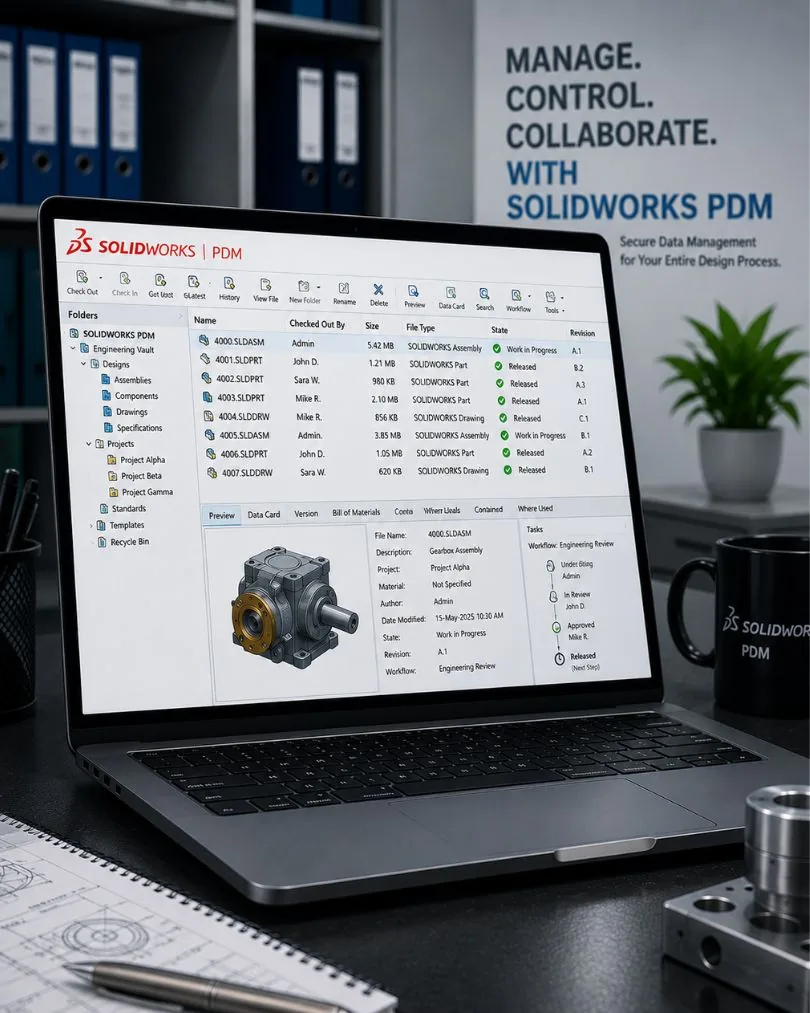
SOLIDWORKS PDM gives your engineering team a single source of truth — secure vault storage, automatic version control, and BOM management built right into the SOLIDWORKS interface. No more overwritten files, lost revisions, or broken references.
Secure central storage
Full change history
Auto bill of materials
Core Capabilities
Everything you need to manage engineering data — from file storage to formal release workflows.
Secure Vault Storage
CoreAll design files stored in a central, secure vault with controlled access. No more files on local drives, shared folders, or email attachments. Every file has one source of truth.
Version & Revision Control
CoreComplete history of every file change — who changed what, when, and why. Roll back to any previous version instantly. Formal revision workflows ensure only approved designs reach production.
Multi-User Collaboration
CoreCheck-in/check-out prevents overwriting. Multiple engineers work on the same assembly simultaneously without conflicts. References and dependencies are tracked automatically.
BOM Management
CoreBills of materials generated directly from SOLIDWORKS assemblies. BOMs stay synchronised with design changes — no manual spreadsheet updates. Export to ERP systems.
Workflow & Approvals
ProfessionalDefine approval workflows that match your engineering change process. Route designs through review, approval, and release stages with email notifications and audit trails.
Multi-Site Replication
ProfessionalReplicate vault data across multiple locations for distributed teams. Engineers in different offices access the same files with local performance. Conflict resolution handles concurrent edits.
PDM Standard vs Professional
Start with Standard — upgrade to Professional as your team and processes grow, or step up to a full PLM implementation when you outgrow PDM.
PDM Standard
Included with SOLIDWORKS Professional and Premium licences.
Best for: Small teams, single-site, basic file management
- Secure vault storage
- Version control
- Check-in / check-out
- Search and find files
- Windows Explorer integration
- Included with SW Professional & Premium
PDM Professional
Full-featured PDM for larger teams and multi-site deployments.
Best for: Multi-department teams, formal ECO processes, multi-site
- Everything in PDM Standard
- Automated workflows & approvals
- BOM management & comparison
- Multi-site vault replication
- Web & mobile access (Web2)
- ERP integration connectors
Why SOLIDWORKS PDM
Native SOLIDWORKS Integration
PDM is built into the SOLIDWORKS interface — no separate application to learn. Save, check in, search, and manage files without leaving your CAD environment.
Automatic Reference Tracking
When you move, rename, or reorganise files, PDM updates all references automatically. No broken assemblies, no missing drawings, no orphaned parts.
Where-Used & Contains
Instantly find every assembly that uses a specific part, or drill into any assembly to see its full component tree. Impact analysis before you change anything.
Design Reuse
Search the vault by properties, dimensions, or geometry to find existing designs that can be reused. Stop redesigning parts that already exist in your library.
System Requirements
Frequently Asked Questions
PDM Standard provides secure vault storage, version control, and file management — it's included with SOLIDWORKS Professional and Premium licences. PDM Professional adds automated workflows, BOM management, multi-site replication, web access, and ERP integration. Most teams start with Standard and upgrade to Professional as their processes mature.
PDM Standard is included with SOLIDWORKS Professional and Premium licences at no additional cost. SOLIDWORKS Standard users need to purchase PDM Standard separately or upgrade their CAD licence. PDM Professional is always a separate purchase.
PDM Standard supports up to 10 users. PDM Professional has no user limit and is designed for teams of any size, including multi-site deployments with hundreds of users across different locations.
Yes. PDM manages any file type — PDFs, Excel spreadsheets, Word documents, images, and more. This means your entire product documentation (specifications, test reports, certifications) can be version-controlled alongside your CAD files.
PDM Professional includes connectors for common ERP systems and supports custom integrations via API. BOM data, part numbers, and revision information can be synchronised between PDM and your ERP to eliminate manual data entry.
A typical PDM Standard setup for a small team takes 2-3 days including vault setup, user configuration, and training. PDM Professional with custom workflows typically takes 1-2 weeks. Cadspro handles the full implementation and provides hands-on training for your team.
Related Resources
Get PDM Set Up for Your Team
We'll assess your file management needs, recommend the right PDM edition, and handle the full implementation.