
Integrated CAD + Simulation
Validate Before You Manufacture
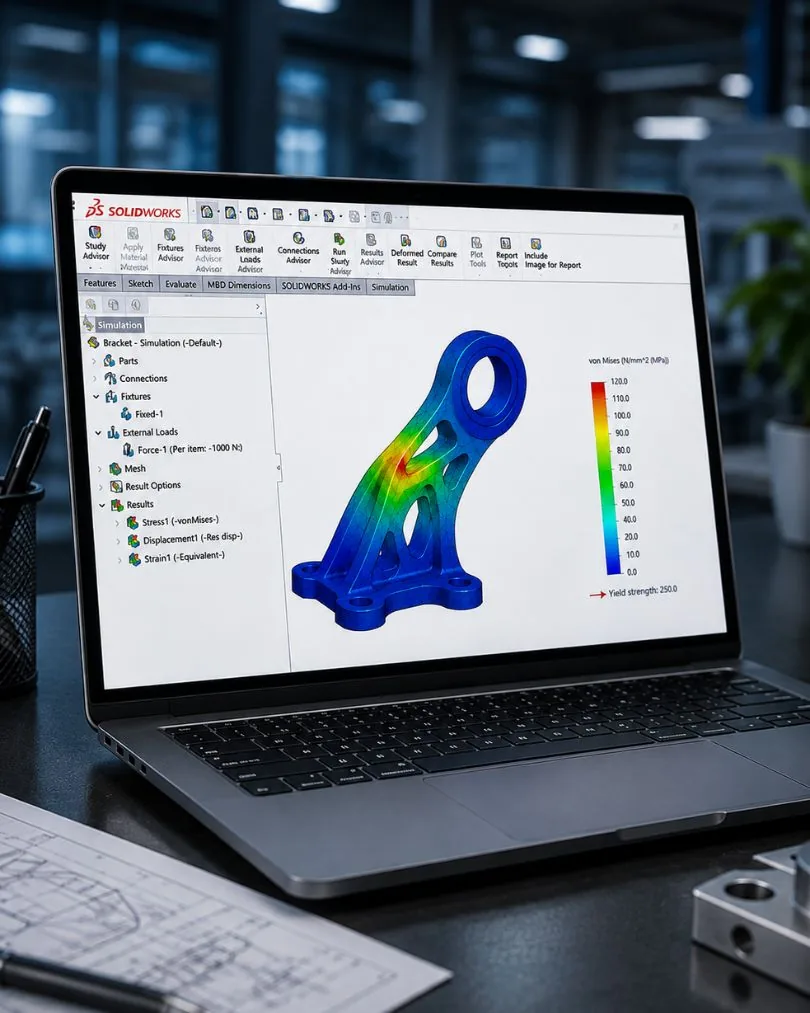
SOLIDWORKS Simulation brings FEA, CFD, and motion analysis directly inside your SOLIDWORKS 3D CAD environment. Test stress, heat, flow, and movement — without exporting a single file or learning a separate tool.
Fewer physical prototypes
Validate designs virtually before cutting metal
Faster design iterations
Change geometry and re-run in minutes, not weeks
Saved per product cycle
Material, machining, and testing costs eliminated
CAE expertise required
Engineer-friendly interface — not a PhD tool
Four Simulation Domains, One Environment
No data translation. No separate pre-processing. Change your design and re-run — results update in place.
Structural (FEA)
Standard+- Linear static stress
- Non-linear (large deformation, plasticity)
- Fatigue life prediction
- Drop test & impact
- Topology optimisation
Thermal
Professional+- Steady-state heat transfer
- Transient thermal
- Radiation modelling
- Electronics cooling
- Thermal stress coupling
Fluid Flow (CFD)
Premium / Add-on- Internal & external flow
- Conjugate heat transfer
- Free surface flows
- HVAC analysis
- Fan & electronics cooling
Dynamic & Motion
Professional+- Modal frequency analysis
- Time-history response
- Random vibration
- Assembly motion
- Motor & actuator simulation
Simulation Packages
Each tier builds on the previous. Start where your validation needs are — scale up as complexity grows.
Simulation Standard
Included with SOLIDWORKS Premium
Best for: Basic stress and deformation checks during design
Simulation Professional
Separate add-on
Best for: Products requiring certification or advanced validation
Simulation Premium
Separate add-on
Best for: Complex engineering challenges — rubber, plastics, composites, impact
Simulation by Industry
Automotive
Structural validation, crash/impact, thermal management
Industrial Equipment
Stress analysis, mechanism validation, safety factors
Consumer Products
Drop testing, fatigue analysis, ergonomic loading
Medical Devices
Regulatory validation support, biocompatible material testing
Electronics
Thermal management, fan cooling optimisation, vibration
Aerospace
Lightweight optimisation, modal analysis, composites
The Integrated Workflow Advantage
Everything happens inside SOLIDWORKS — no export, no file translation, no context switching.
Frequently Asked Questions
SOLIDWORKS Premium includes Simulation Standard (linear FEA, fatigue, trend tracking). For advanced capabilities like thermal analysis, drop testing, non-linear, or CFD, you need Simulation Professional or Premium as add-on packages.
SOLIDWORKS Flow Simulation is available as an add-on for any SOLIDWORKS package. It's fully integrated inside the CAD environment — no data export or separate pre-processing required. HVAC and Electronics Cooling modules are also available.
SOLIDWORKS uses industry-proven FEA solvers with validation against analytical and experimental results. Accuracy depends on mesh quality, material data, and boundary conditions. For most engineering applications, results are within 5-10% of physical testing when properly set up.
For most product design validation — yes. SOLIDWORKS Simulation covers linear/non-linear FEA, thermal, CFD, fatigue, and dynamics. For highly specialised physics (explicit dynamics, electromagnetics, multiphysics coupling), dedicated solvers like ANSYS may still be required.
Simulation benefits from more RAM and CPU cores than standard CAD work. We recommend 32+ GB RAM, a modern multi-core processor (8+ cores), and SSD storage. GPU acceleration is supported for certain solver types. See our system requirements page for detailed specs.
Yes. Our training programs cover Simulation Standard, Professional, and Premium. We teach both the software operation and the engineering fundamentals — meshing best practices, boundary condition selection, result interpretation, and convergence studies.
See Simulation in Action
Send us a part file — our engineers will run a simulation and walk you through the results. Free, no obligation.