
Dassault Systemes SOLIDWORKS
SOLIDWORKS 3D CAD Software for Design & Engineering
Parametric solid modelling, assemblies with thousands of parts, production-ready 2D drawings, and specialised tools for sheet metal, weldments, and surfaces — all in one platform.
Engineers worldwide
Package tiers
File formats supported
Industry Standard
Used by 80% of Fortune 500 manufacturers
What You Can Do with SOLIDWORKS 3D CAD
Six core capabilities — each one deep enough to be a product on its own.
Parametric Solid Modelling
Feature-based design history with full parametric constraints. Every dimension drives the model — change one value and the entire part updates. Configurations let you manage families of parts from a single file.
Assembly Design
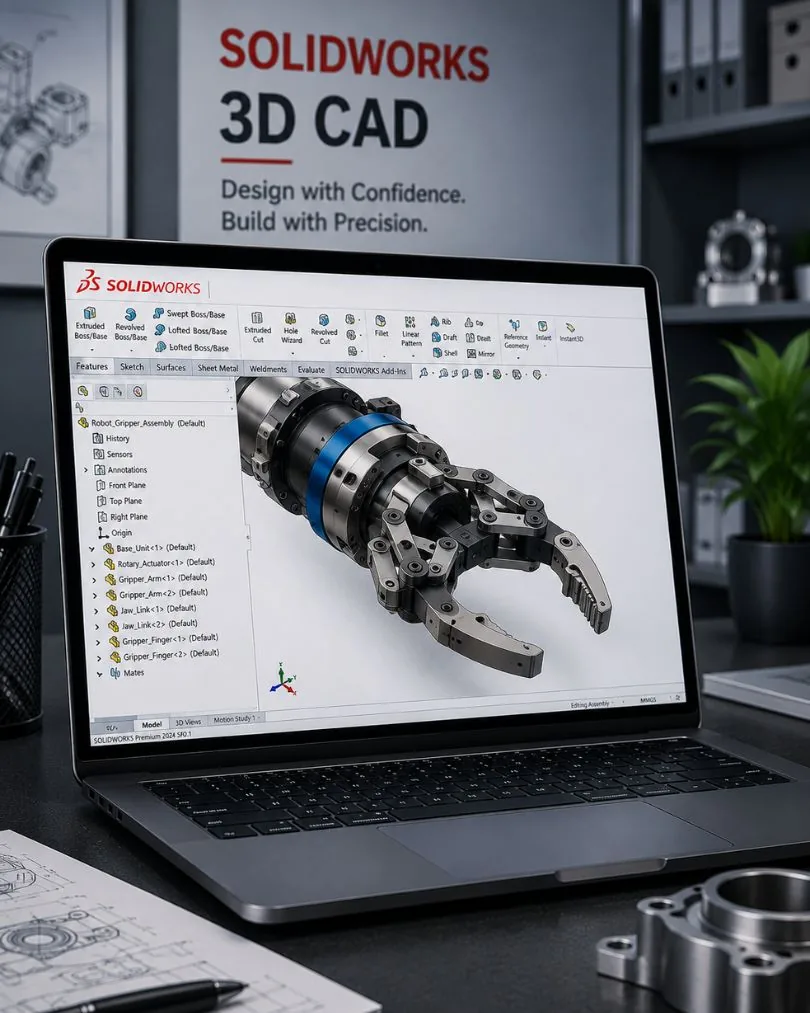
Build assemblies with thousands of components using mates, references, and interference detection. SpeedPak technology keeps large assemblies responsive without sacrificing detail.
2D Drawing & Detailing
Production-ready drawings generated directly from 3D models. Dimensions, tolerances, and BOMs update automatically when the model changes — no manual redrawing.
Sheet Metal Design
Dedicated sheet metal tools: flanges, hems, jogs, forming tools, and flat pattern generation with automatic bend allowance calculations. Export DXF for laser/punch directly.
Weldments & Structures
Structural member libraries, automatic trim/extend, weld beads, and cut lists. Design frames, guards, and chassis directly in SOLIDWORKS without external tools.
Surface Modelling
Freeform surface creation for complex organic shapes — consumer products, enclosures, and ergonomic designs. Combine solids and surfaces in a single feature tree.
Three Packages, One Platform
Start with Standard — eligible hardware startups can even get Year 1 free through SOLIDWORKS for Startups. Upgrade when your workflow demands it. All files are forward-compatible across the SOLIDWORKS suite.
Standard
Essential 3D CAD for small teams and individual engineers.
Best for: Startups, individual designers, basic product design
Subscription
Professional
Most PopularEnhanced productivity with PDM, rendering, and advanced tools.
Best for: Growing teams, collaboration-heavy workflows
Subscription
Premium
Complete solution with simulation, advanced routing, and tolerances.
Best for: Enterprise teams, complex validation needs
Subscription
*Prices shown are indicative in INR. Final cost varies with features, modules, configuration, seat count, and current promotions. T&C apply.
Who Uses SOLIDWORKS 3D CAD
Product Design Engineers
Concept-to-production 3D modelling with integrated validation
Consumer products, electronics, furniture
Mechanical Engineers
Parametric design with simulation-driven engineering
Industrial machinery, automotive, aerospace
Tool & Die Designers
Mould design, cavity/core modelling, parting line analysis
Plastics, injection moulding, stamping
Manufacturing Engineers
Design for manufacturing, flat patterns, CNC integration
Sheet metal, fabrication, machining
Frequently Asked Questions
SOLIDWORKS 3D CAD starts from approximately ₹1.8 Lakhs per year for Standard. Professional and Premium packages include additional tools like PDM, simulation, and rendering. Contact us for exact pricing — we provide India-specific quotes within 24 hours.
Yes. You can upgrade your SOLIDWORKS package at any time. The upgrade cost is the price difference between packages. Your existing work, files, and templates carry forward — no data migration needed.
SOLIDWORKS requires Windows 10 or 11 (64-bit). On a Mac, you can run SOLIDWORKS through Boot Camp (native Windows partition) or Parallels Desktop. Boot Camp provides better performance for demanding assemblies.
SOLIDWORKS natively reads and writes SLDPRT, SLDASM, and SLDDRW files. It imports STEP, IGES, Parasolid, ACIS, STL, DWG/DXF, CATIA, NX, Pro/E, and Inventor files. Export to PDF, eDrawings, 3D PDF, and all major neutral formats.
Most engineers become productive within 2-4 weeks with structured training. Basic part modelling takes a few days. Assembly design and drawings add another week. Advanced features like surface modelling and sheet metal typically require dedicated training modules.
Yes. SOLIDWORKS handles assemblies with thousands of components using performance features like SpeedPak, Large Assembly Mode, and Lightweight components. For assemblies above 10,000+ parts, we recommend Premium-tier hardware specifications.
Get Your 3D CAD Quote
Tell us about your team size and design workflows — we'll recommend Standard, Professional, or Premium and send India pricing within 24 hours.